
Azure consumption pricing sounds like the fairest deal in IT. You only pay for what you use, there’s no big hardware purchase up front, and the bill rises and falls with demand. So why do so many Australian teams open their first full month of Azure invoices and feel a cold jolt in the stomach? Because paying for what you use is not the same as paying less, and the gap between the two is exactly where budgets quietly leak.
This guide explains how Azure consumption pricing really works, why the pay-as-you-go promise can still produce a surprising bill, and the habits that keep cloud spending predictable. It’s written for beginners, managers and anyone preparing for the Microsoft Azure Fundamentals exam, where cost management is a tested topic. If you’re building your cloud skills, our AZ-900 certification training covers pricing and cost tools hands-on.
What Is Azure Consumption Pricing?
Azure consumption pricing, often called pay-as-you-go, means you’re billed for the resources you run and the services you consume, usually measured by the hour, the second, the gigabyte or the transaction. There’s no need to buy servers, rent a data centre or sign a long contract before you begin. In accounting terms, it moves IT spending from capital expenditure (CapEx) to operational expenditure (OpEx).
| Feature | Traditional on-premises | Azure consumption pricing |
| Upfront cost | Large hardware and licence purchase | Little or none |
| Spending type | Capital expenditure (CapEx) | Operational expenditure (OpEx) |
| Capacity | Bought for peak demand, often under-used | Scaled up or down on demand |
| Billing | Fixed, depreciated over years | Variable, metered monthly |
| Main risk | Paying for unused capacity | Paying for forgotten or misconfigured resources |
The flexibility is real, and for spiky or short-lived workloads it can be a big saving. But variable billing also means variable surprises, and that’s the part most beginner courses skim over.
Why “Pay for What You Use” Does Not Automatically Mean Lower Costs
You pay for what you provision, not only what you use
Many Azure services charge for the capacity you reserve, not the capacity you actually fill. A managed disk is billed for its provisioned size and tier even if it’s half empty. A database sized for next year’s growth costs the same today as it will then. Azure consumption pricing rewards right-sizing, and punishes optimism.
Idle is not free
A virtual machine that sits unused overnight still costs money while it’s allocated. Shutting it down from inside the operating system doesn’t always release the compute, so billing can continue. Even when a VM is properly deallocated, the attached disks and any static public IP addresses may keep billing. Idle resources are the most common reason a pay-as-you-go bill is higher than planned.
Small meters add up quickly
The headline price of a virtual machine or database is only one line on the invoice. Outbound data transfer, log ingestion into Log Analytics, backup storage, snapshots, load balancers, firewalls and gateways each have their own meters. None of them looks expensive alone. Together, they often rival the compute bill, which is why Azure consumption pricing needs a full-picture estimate.
Easy to start means easy to forget
Spinning up a test environment takes minutes, which is wonderful until nobody remembers to delete it. In a data centre, a forgotten server is physically visible. In the cloud, it’s a line item that quietly renews every hour. Azure consumption pricing makes it cheap to experiment and equally cheap to lose track.
Scaling cuts both ways
Autoscaling protects performance by adding capacity when demand rises. If limits aren’t set, a traffic spike, a misbehaving script or a retry loop can scale resources and costs far beyond what anyone expected. Elasticity is a feature, but Azure consumption pricing means it needs guardrails.
Steady workloads can cost more on demand
Pay-as-you-go suits unpredictable demand. If a workload runs around the clock all year, paying standard on-demand rates may cost noticeably more than committing to reservations or savings plans. The flexibility you pay for is only valuable if you actually need it.
The Real Cost of an Azure Consumption Pricing Surprise
Here is a simple, hypothetical example. A small Australian business moves a web application and database to Azure. The team estimates costs by pricing the virtual machines and database only. After the first full month, the actual bill looks very different. These figures are illustrative, not real Azure prices.
| Cost area | Planned (AUD/month) | Actual (AUD/month) | What caused the gap |
| Virtual machines | 1,200 | 1,950 | Left running nights and weekends, oversized |
| Storage and disks | 300 | 520 | Unused provisioned disks and old snapshots |
| Networking | 150 | 410 | Outbound data transfer and extra public IPs |
| Monitoring and logs | 100 | 380 | Verbose logging sent to Log Analytics |
| Backup and recovery | 0 | 240 | Not included in the first estimate |
| Total | 1,750 | 3,500 | Bill doubled with no change in workload |
Nothing here is a mistake in the billing. Every charge was real usage. The team simply modelled the compute and forgot the supporting cast. That’s the core of the Azure consumption pricing surprise: the model is transparent, but only if you know where to look.
How to Predict Azure Consumption Pricing Before You Deploy
Accurate forecasts of Azure consumption pricing start with the right tools. The Azure Pricing Calculator lets you price services before you build them, and the Azure Total Cost of Ownership (TCO) Calculator compares running a workload on-premises with running it in Azure. To make estimates realistic:
- Include every service in the design, not just compute and database.
- Add data transfer, backups, monitoring, public IPs and support costs.
- Estimate hours per month honestly, including nights and weekends.
- Compare regions, because Azure pricing differs between locations.
- Add a buffer for growth and for the mistakes everyone makes in month one.
Azure Cost Control Tools Every Beginner Should Know
| Tool or feature | What it does | Best used for |
| Pricing Calculator | Estimates the monthly cost of planned services | Budgeting before deployment |
| TCO Calculator | Compares on-premises and Azure costs | Business cases and migrations |
| Microsoft Cost Management + Billing | Shows, analyses and forecasts actual spending | Monthly reviews and cost allocation |
| Budgets and alerts | Notifies you when spending nears a limit | Preventing bill shock |
| Azure Advisor | Recommends right-sizing and removal of idle resources | Quick wins on waste |
| Tags | Label resources by owner, project or environment | Chargeback and accountability |
| Azure Policy | Enforces rules such as allowed sizes and regions | Governance at scale |
For deeper reading on Azure consumption pricing and cost tools, Microsoft’s Cost Management and Billing documentation covers each of these in detail, and the FinOps Foundation publishes practical frameworks for managing cloud financial operations.
A 7-Step Plan to Keep Azure Consumption Pricing Under Control
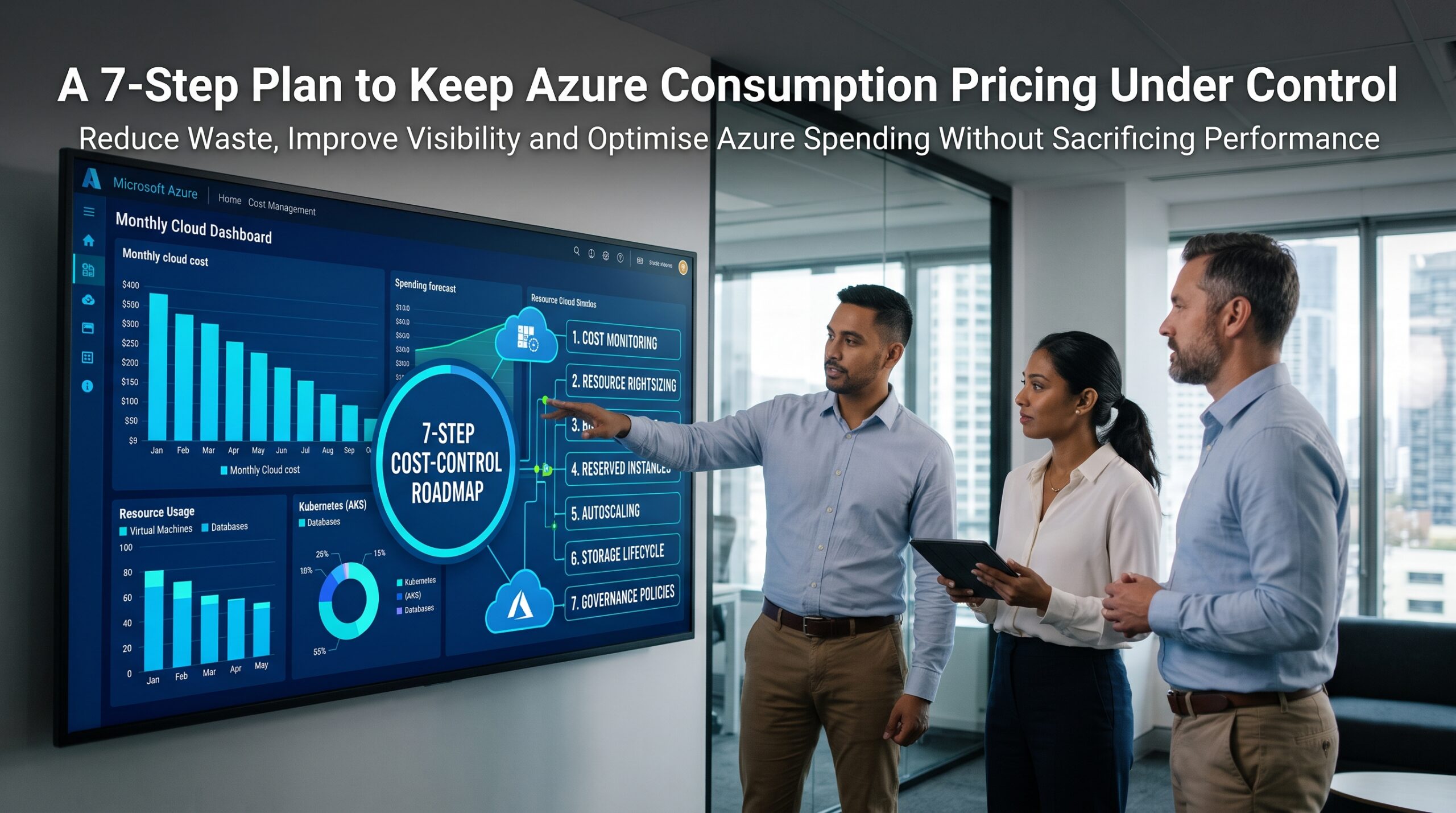
Step 1: Set budgets and alerts on day one
Create a budget for every subscription or resource group so Azure consumption pricing never surprises you, and set alerts at several thresholds. An alert at 50 per cent is a conversation. An alert at 120 per cent is an emergency.
Step 2: Tag everything
Add tags for owner, project and environment so every dollar has a name next to it. Untagged spending is the hardest to question and the easiest to ignore.
Step 3: Right-size regularly
Review CPU and memory use and move oversized resources to smaller sizes or cheaper tiers. Azure Advisor flags many candidates automatically.
Step 4: Switch off what you don’t need
Schedule development and test machines to deallocate outside working hours, and delete resources when a project ends. Remember to check the attached disks and IP addresses too.
Step 5: Commit where demand is steady
For workloads that run continuously, look at reservations or savings plans, and check whether Azure Hybrid Benefit can reuse eligible Windows Server or SQL Server licences you already own. Keep pay-as-you-go for the unpredictable parts.
Step 6: Watch the small meters
Review data transfer, log volume and backup retention monthly. Trimming a noisy log setting can save more than shrinking a virtual machine.
Step 7: Review costs monthly with the people who build things
Cost reviews work best when engineers, finance and managers sit together. Engineers know why a resource exists, and finance knows what it should cost.
Pay-As-You-Go vs Reservations vs Savings Plans vs Spot
| Option | Best for | Main benefit | Trade-off |
| Pay-as-you-go | Unpredictable or short-term workloads | Maximum flexibility | Highest standard rates |
| Reservations | Steady resources, such as a database running all year | Lower rates for a one or three-year commitment | Less flexibility |
| Savings plans | Compute usage that varies in type but stays steady in spend | Discounts across eligible compute | Commitment to hourly spend |
| Spot virtual machines | Interruptible jobs and batch processing | Deep discounts on spare capacity | Can be evicted at short notice |
Azure consumption pricing options and eligibility change, so always confirm the current terms on Microsoft’s website before committing.
Azure Consumption Pricing Across Australian Cities
Cost surprises look a little different in every market. These are typical scenarios rather than rules, and they’re useful prompts for your own review. Microsoft operates Azure regions in Australia East (New South Wales), Australia Southeast (Victoria) and Australia Central (Canberra), so location choices affect both cost and data residency.
| City | Typical cost surprise | Local course page |
| Sydney | Always-on environments for financial and enterprise systems | See Sydney |
| Melbourne | Fast-growing SaaS and start-up teams scaling without budgets | See Melbourne |
| Brisbane | Migration projects where backup and data transfer were never estimated | See Brisbane |
| Perth | Resources and engineering workloads with heavy data movement | See Perth |
| Adelaide | Small teams running test environments that never get deleted | See Adelaide |
| Canberra | Compliance-driven workloads where region choice limits cheaper options | See Canberra |
We also support learners in Hobart, Darwin and the Gold Coast through live online classes, and you can explore all our location pages to find the nearest option.
Why Azure Consumption Pricing Matters for AZ-900
The Microsoft Azure Fundamentals (AZ-900) exam expects you to understand Azure consumption pricing. It asks you to describe the consumption-based model, explain CapEx versus OpEx, identify what affects Azure costs, and know how tools like the Pricing Calculator, TCO Calculator and Cost Management help. You can see the skills measured on Microsoft’s Azure Fundamentals certification page. Our Azure Fundamentals course has no mandatory prerequisites, and Logitrain’s AZ-900 course page and Microsoft Azure training show how it fits into a longer cloud pathway. You can also see why people choose us on our why choose us page.
Azure Consumption Pricing FAQs
What is Azure consumption pricing?
It’s the pay-as-you-go model where you’re billed for the Azure resources and services you actually consume, typically metered by time, storage, data volume or transactions, instead of paying for hardware up front.
Is pay-as-you-go cheaper than on-premises?
Not automatically. It’s often cheaper for variable or short-term workloads, but steady always-on systems can cost more at standard rates. The TCO Calculator helps you compare your own situation.
Why is my Azure bill higher than expected?
Common reasons include idle or oversized resources, forgotten test environments, data transfer, log ingestion, backups and unlimited autoscaling. Cost Management and Azure Advisor can help you find the source.
Does stopping a virtual machine stop all billing?
Deallocating a VM stops compute charges, but attached disks, snapshots and static public IPs can continue to bill. Shutting down only inside the operating system may not release the compute at all.
How can I reduce Azure costs without hurting performance?
Set budgets, tag resources, right-size, schedule shutdowns, delete unused resources and use reservations, savings plans or Hybrid Benefit where demand is steady. Check the AZ-900 FAQs for more beginner guidance.
Predictable Bills Start With Understanding
Azure consumption pricing is fair, transparent and flexible, but it isn’t automatically cheap, and that’s the whole surprise. The teams that save money aren’t the ones who pay least per hour. They’re the ones who know what they’ve switched on, why it’s running and who’s responsible for it.
Ready to build that understanding? Explore our AZ-900 course locations, read more on the AZ-900 blog, call 1300 649 299, or contact us to book a place or enquire about group and in-house training.